Make AI do the work

We provide corporate AI training, workflow automation, and web, app, and server development.

BY THE NUMBERS

FlowCoder in numbers

  • 4,804

    Inflearn course enrollments

    Total of 3 courses

  • 4.8

    Average review rating

    Based on 409 reviews

  • 3

    Online courses

    Inflearn

  • 2

    Published books

    Bookk

As of 2026.10.26 · Learners and ratings update weekly

WHAT WE DO

The work we take on

  1. 01 · EDUCATION

    Training

    We teach Claude, vibe coding, and PBL at firms, plus 3 Inflearn courses.

    On-site · Online · Workshops

  2. 02 · DEVELOPMENT

    Development

    We go from design document to prototype, tests, and delivery.

    Web · App · Server

  3. 03 · AUTOMATION

    Automation

    We design workflows so AI agents take over repetitive tasks.

    Workflow automation · AI agents · Adoption

CASE STUDIES

Services we built for clients.

These are two contract projects. We do not publish client names or logos.

A staffing platform for electrical day labor.

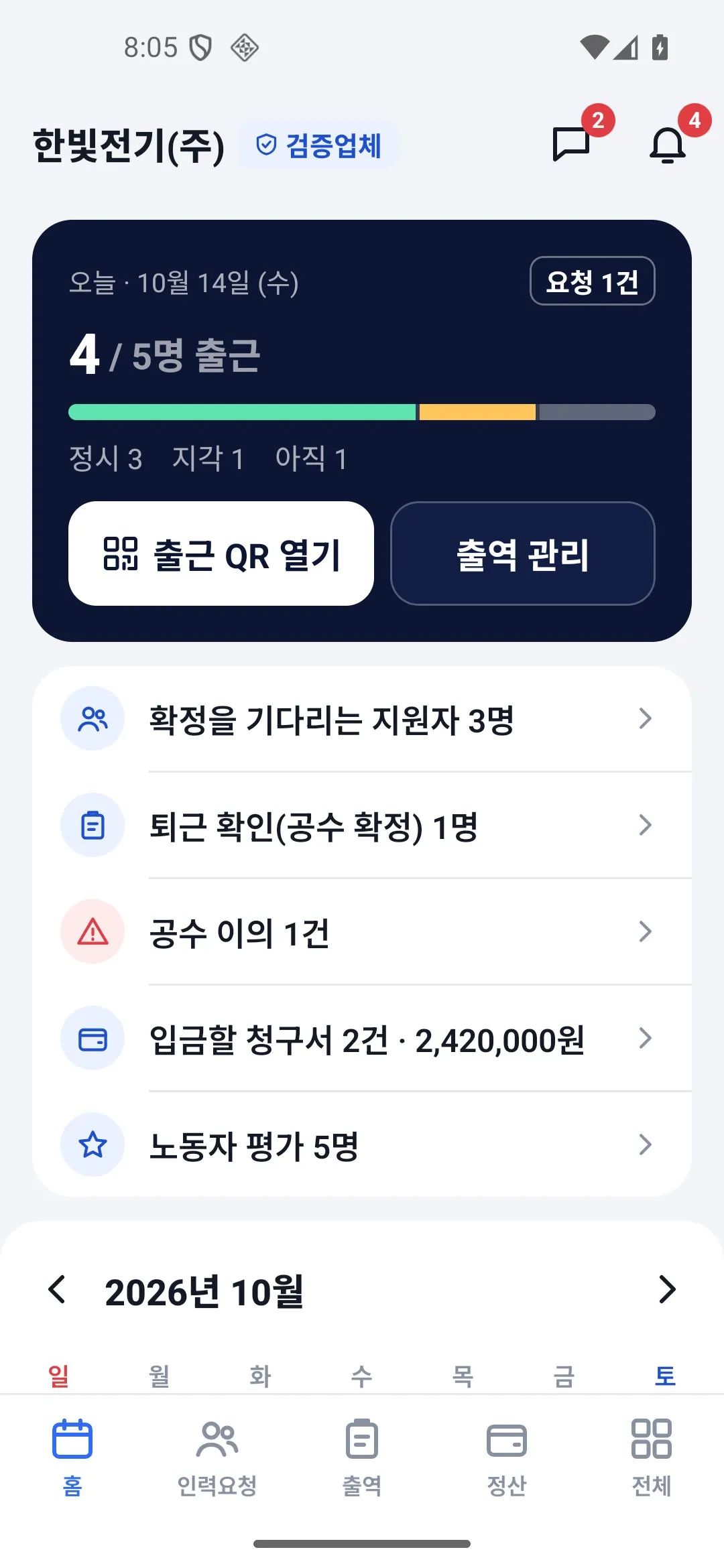
Hiring company home screen: today's attendance, applicants awaiting confirmation, labor-hour disputes, invoices to pay, and worker reviews
Hiring company home
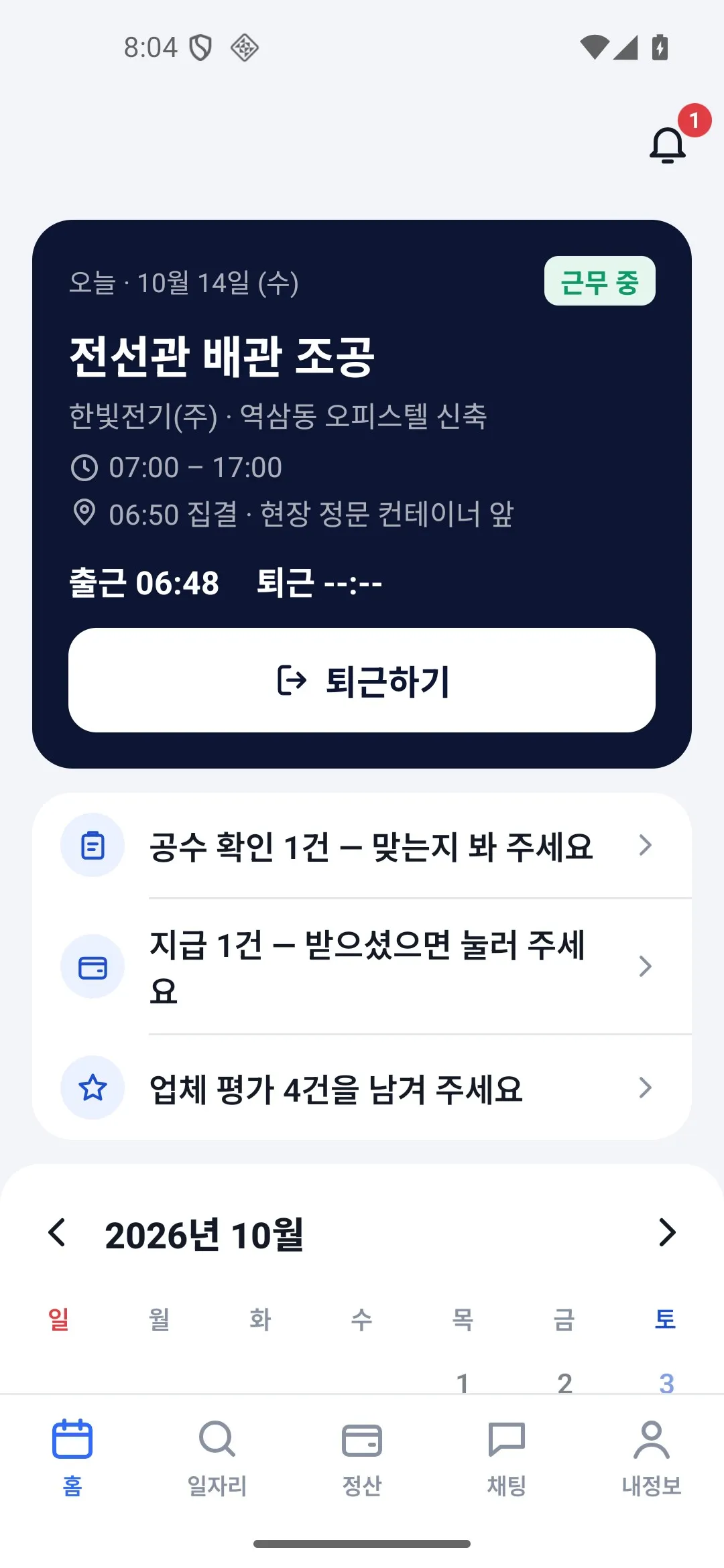
Worker home screen: today's site and start time, clock-out button, to-do list, and calendar
Worker home
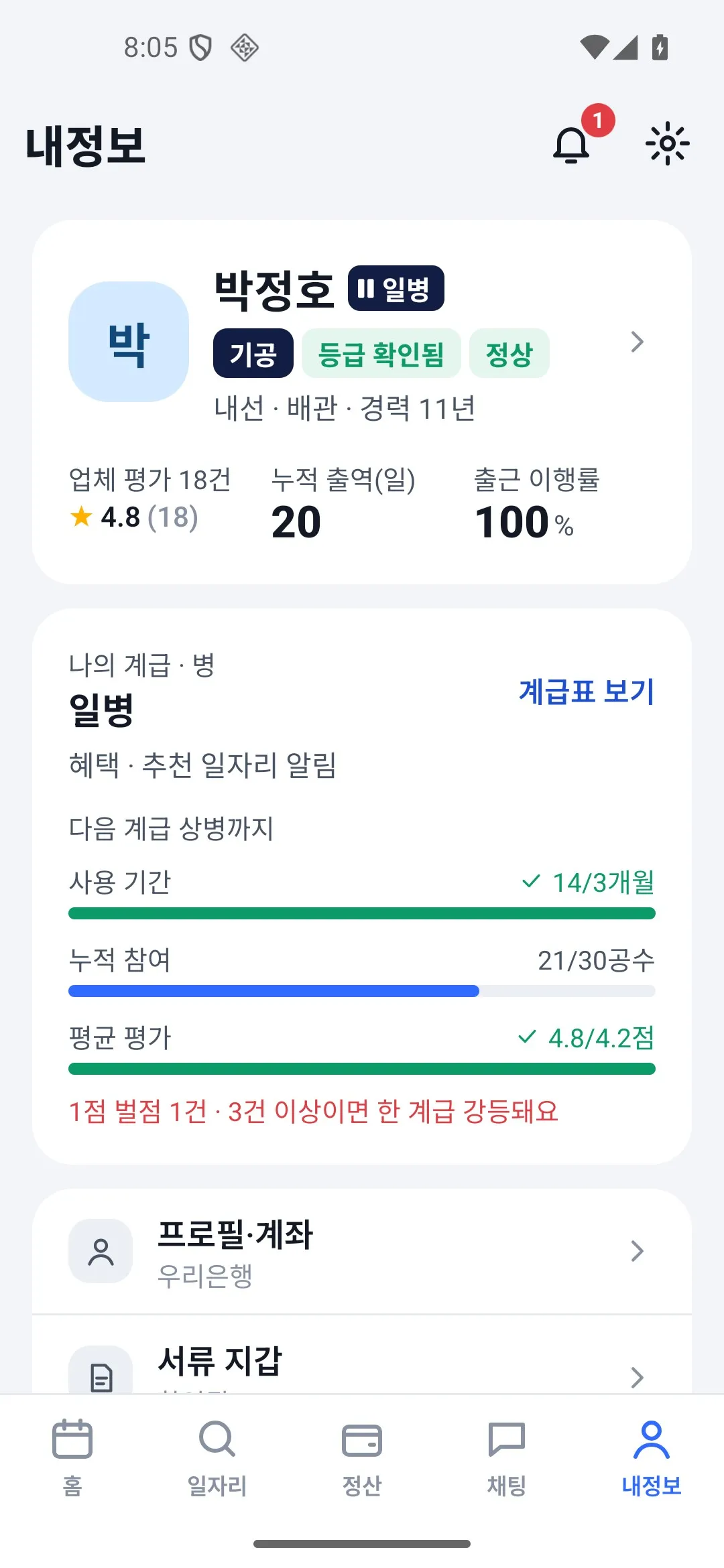
Worker profile screen: company ratings, total shifts, attendance rate, and progress bar to the next level
Worker profile
  1. Request
  2. Apply
  3. Check in
  4. Settle

CASE 02Demo running · delivery in progress (as of 2026.10)

Day-labor staffing platform for electrical construction

A mobile web app and Android app that connect workers, hiring companies, and staffing agencies for day labor on electrical construction sites.

ROLES
3
TESTS
778 UI · 250 server (as of 2026.10.13)
STACK
Cloudflare Workers · D1 · Android(Kotlin)

What we built

  • One flow: labor request → application, confirmation, auto-matching → check-in (GPS · QR) → check-out confirmation (labor hours) → mutual reviews → settlement and payment
  • Calendar dashboards for each role
  • Document wallet (license and certificate expiry dates)
  • 4 admin permission levels and activity logs
  • 4 languages and large text
  • Android app (in progress)

Screens are in Korean and show sample data for demonstration.

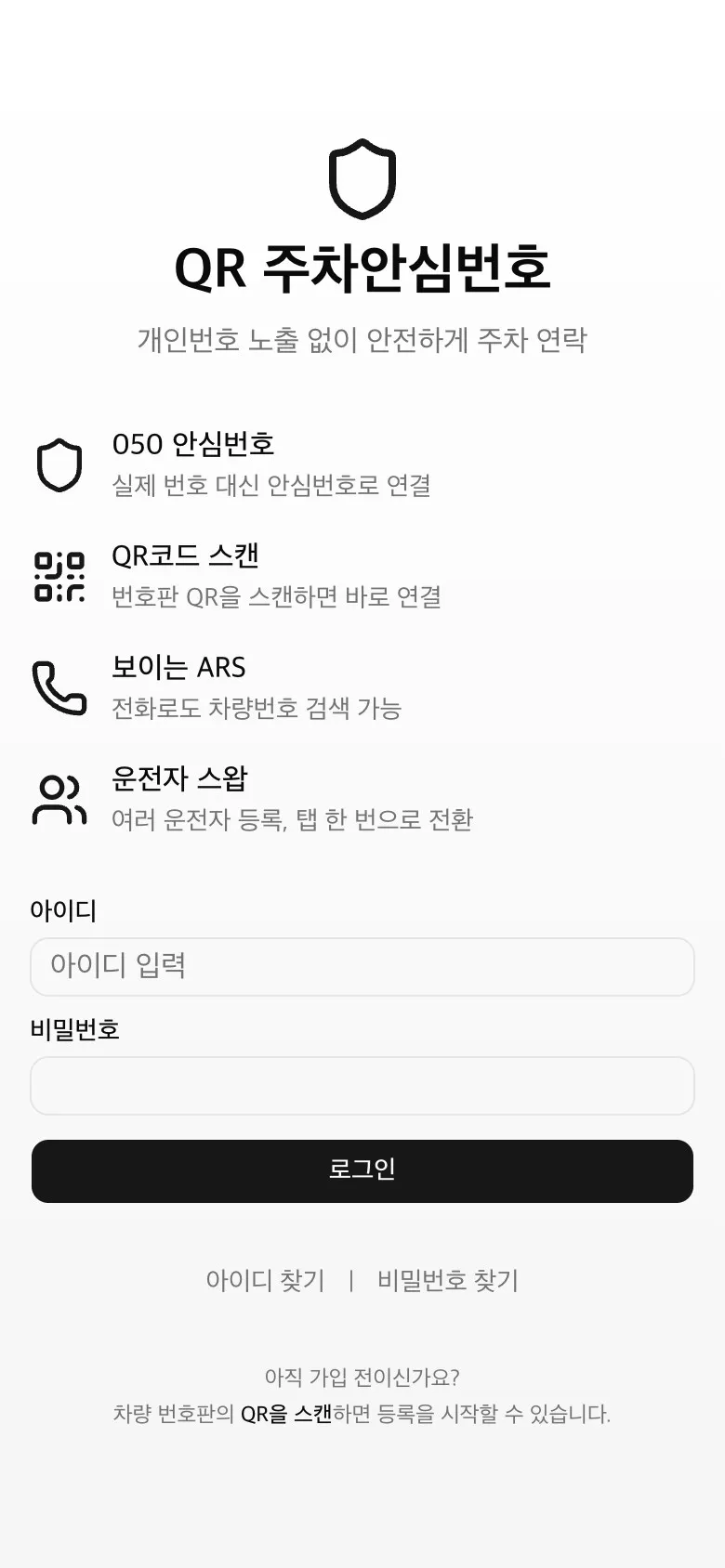
A QR contact service for parked cars.

Public landing screen of the QR parking contact service: introduces the 050 virtual number, QR code scan, visual ARS, and driver switching, with a login field
Public landing screen
  1. STEP 1 Scan the plate QR
  2. STEP 2 Assign a 050 virtual number
  3. STEP 3 Connect without the real number

CASE 01Live

QR parking contact service

Scanning the QR code on a license plate connects the caller through a 050 virtual number instead of the owner's real number.

STACK
Next.js · Prisma(PostgreSQL) · Vercel
LINKS
050 virtual numbers · ARS

What we built

  • Owner sign-up, vehicle and driver registration, and driver switching
  • Bulk QR batch issuance and download
  • Virtual number assignment, release, and recovery on expiry
  • Visual ARS integration and call logs
  • Admin console (customers, QR codes, settings, activity log)
  • 3 scheduled jobs (expiry release, trash cleanup, external relay monitoring)

HOW WE WORK

From design to source code handover.

01 Design document

We first agree on what to build in a design document (SDD).

02 Working prototype

We build a prototype you can run yourself, based on the design document.

03 Automated tests and cross-checks

We run automated tests on the UI and server, and have another AI look for defects.

04 Delivery and handover

We hand over the source code and operating documents so you can run it yourself.

EDUCATION

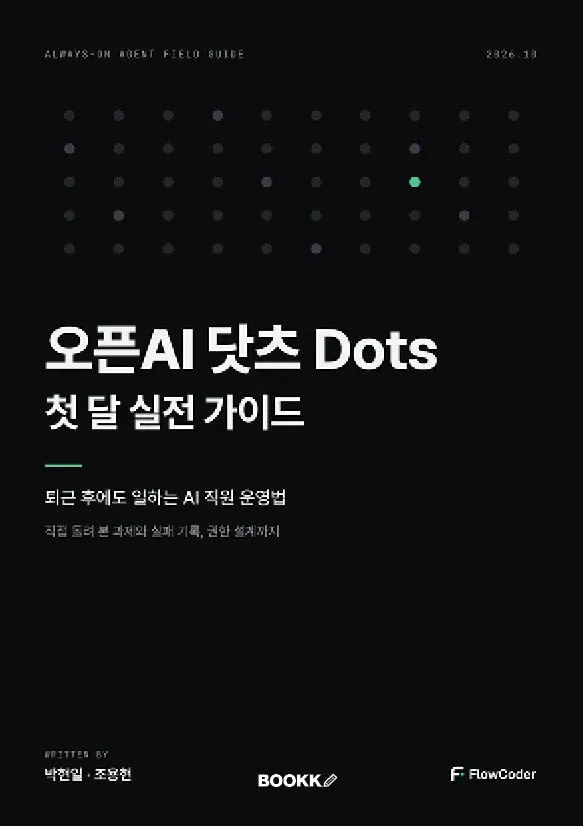
We have released 3 courses and 2 books.

All courses and books are in Korean. Courses are available on Inflearn, and 2 more books are planned.

BOOKS

UPCOMING

  • Claude Cowork WorkbookYemunsa · planned for Q4 2026
  • How to Put AI to Work: AI Does the Work, I Go HomeYemunsa · planned for Q1 2027

PARTNERS

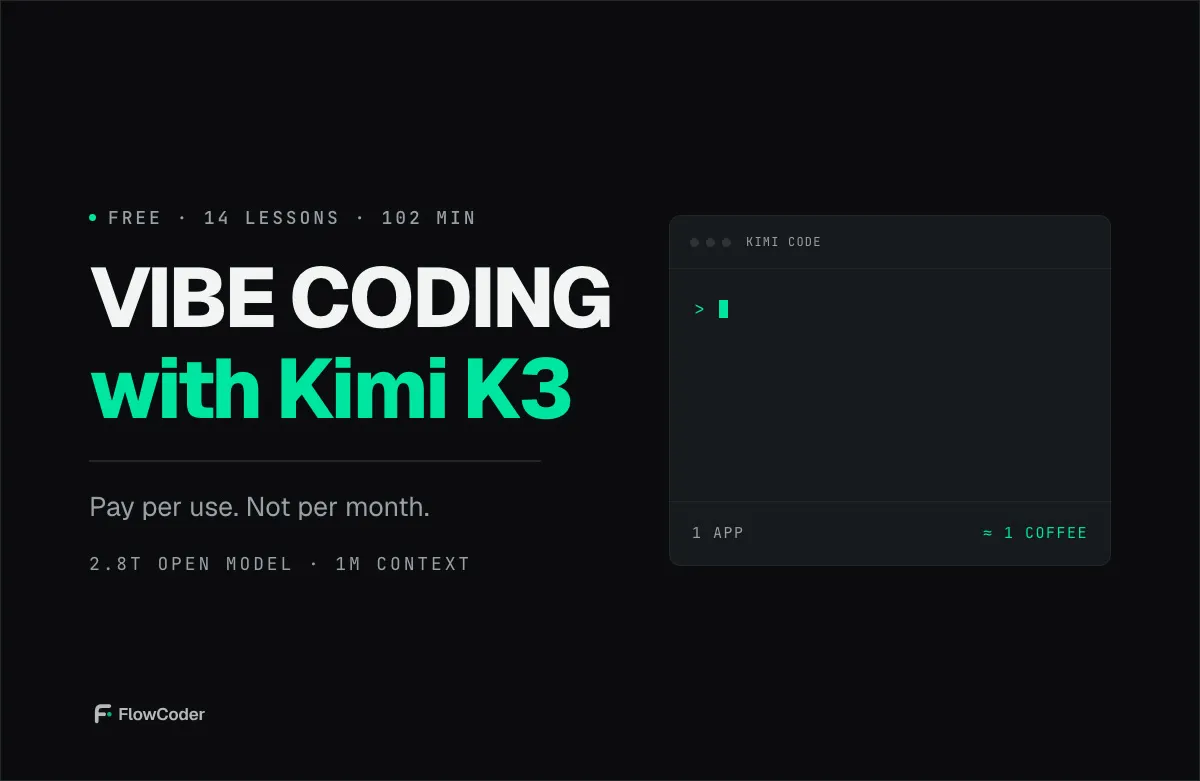
  • Moonshot AI (Kimi K3)
  • Hostinger

Companies we have trained

Samsung · Hyundai · SK · KB · Hansol and others

Hands-on Claude and vibe coding training for employees of large companies

FAQ

Frequently asked questions

What happens after I contact you?

We review your message and get in touch. We define the scope together and agree on it in a design document, then proceed through prototype, testing, and delivery.

How is the cost determined?

We can give a quote once the scope and schedule are set. If you share your budget when you contact us, we will propose what can be done within it.

What formats does training come in?

We offer corporate on-site training for employees, online courses on Inflearn, and workshops. Each program is built around hands-on practice for its audience and level.

What kind of development can you take on?

We build web services, mobile apps (web apps and Android), servers, and workflow automation. The two cases above show the actual scope of what we have built.

What do we receive at the end?

We hand over the source code and operating documents. The goal is for you to be able to run it yourself.

Can you work remotely?

Development and automation run remotely through documents, screen sharing, and messaging. Corporate training takes place on site.

CONTACT

We take inquiries about training, development, and automation.

We will review your message and reply using the contact details you provide.

You can also email us: admin@flow-coder.com

Required fields.

Inquiry type

Enter at least one of phone number or email.

Contact us

BRAND FILM · 0:55

Read the film as text
  1. 0:00A mint dot lights up on a black screen and a gray wire extends from it.
  2. 0:04Text: “Plenty of companies know AI” → “FlowCoder uses AI to get work done.”
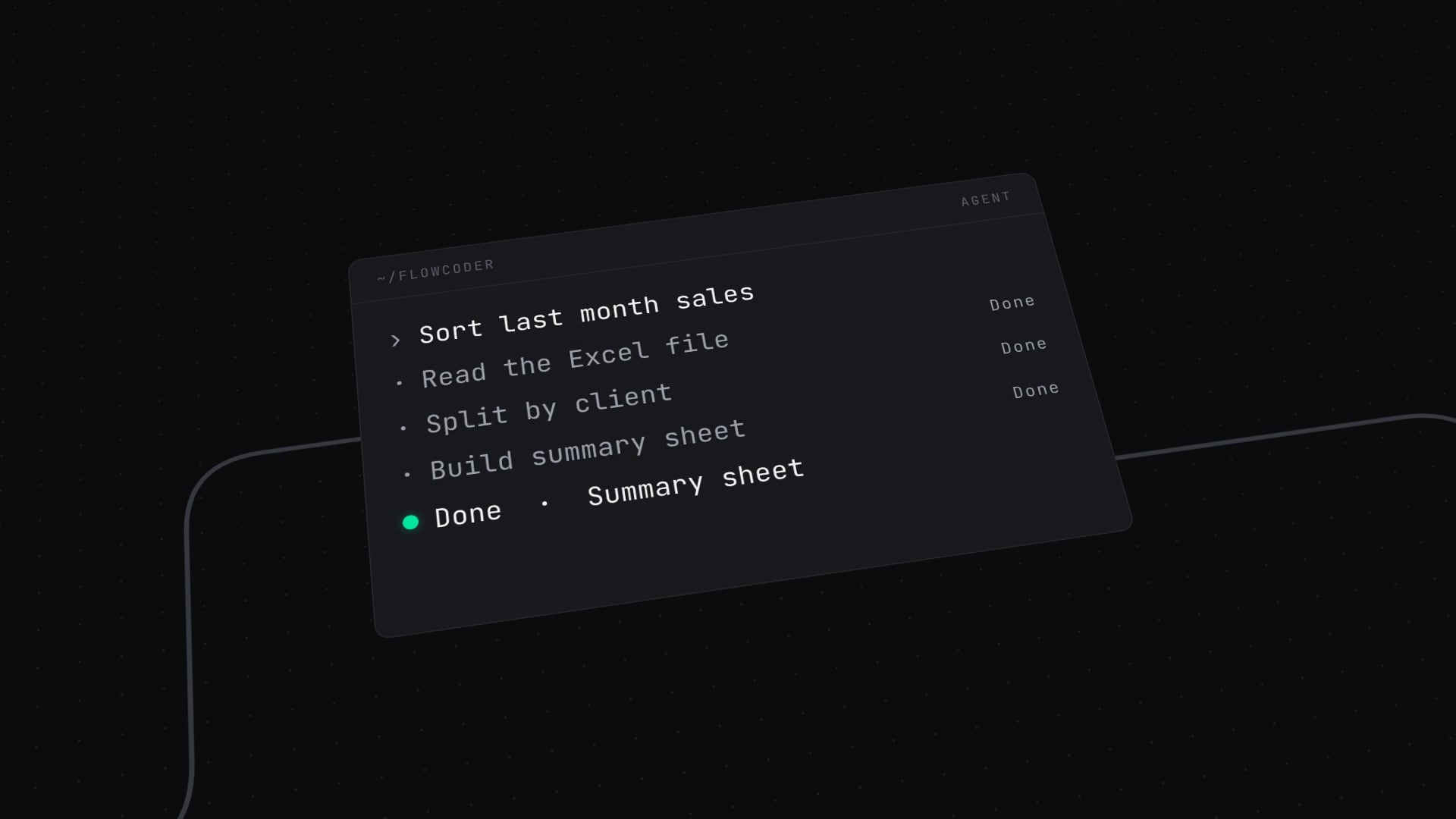
  3. 0:08Training: a request typed into a terminal finishes three tasks. Caption “Just say ‘do this’ and the work begins.” Figure “3 hours → 30 seconds.”
  4. 0:14Covers of 3 courses and 2 books light up in turn. Caption “Use it at work the day after you finish.”
  5. 0:16Each course and book is shown in detail, one at a time (title, description, figures).
  6. 0:26Development: three phone screens and the flow request → apply → check in → settle. Caption “From request to settlement, in one flow.”
  7. 0:30Connection: scanning a QR code connects through a 050 virtual number without revealing the real number. Caption “Connect without revealing your number.”
  8. 0:34Three things we built: actual screens of the staffing app (sample data), the public landing screen of the QR parking contact service, and scenes from the FlowSpace intro video.
  9. 0:40The camera rises to show the whole circuit. Caption “We teach, we build, we keep it running.”
  10. 0:44The wire winds into an F shape and a mint dot lands at the end.
  11. 0:48The FlowCoder logo and “Make AI do the work.”

The music is an instrumental track made with AI (ACE-Step 1.5), and the sound effects were made with code. There is no narration.